
How to Choose the Right HDRI for Your Render
- There is no single best HDRI: weather, sun height and location decide whether a sky fits a project.
- Partly cloudy skies with an unclipped sun are the most forgiving choice for exterior architecture.
- Overcast skies show materials in their own colour and suit design reviews and facade studies.
- The sun height in an HDRI fixes shadow length: rotation moves the sun around the scene but cannot raise or lower it.
- Resolution does not change the lighting; it only matters when the sky is visible or reflected sharply.
- 34 of the 161 outdoor HDRIs at HDRI Hub are tagged unclipped.
The same model can look like a sales brochure, a moody competition entry or a flat clay test, and most of that difference comes from the HDRI you load. There is no best HDRI in general, only a best HDRI for a given shot. The choice comes down to six questions: what the HDRI has to do, the weather, the time of day, how it works for interiors, what reflections will show, and a few technical checks. The answers below come from shooting these skies on location, where the same choices about sun, weather and place have to be made before the camera is set up.
Quick decision table
Find your job in the left column, then open the matching collection.
| Job | Sky and time of day | Sun | Start here |
|---|---|---|---|
| Exterior marketing image | Clear or partly cloudy, morning or afternoon | Visible, unclipped | Sunny HDRIs, Unclipped skies |
| Facade or material review | Cloudy or overcast, daytime | Hidden | Cloudy sky HDRIs |
| Mood shot, competition entry | Dusk, sunset or blue hour | Low or below the horizon | Sky HDRIs, Clear sky HDRIs |
| Interior daylight | Bright cloudy for even light, sunny for sun patches | Depends on the shot | Cloudy sky HDRIs, Indoor HDRIs |
| Car or vehicle | Road, parking lot or city location | Unclipped for paint highlights | Road HDRIs, Parking lot HDRIs, HDRI domes |
| Night exterior | City at night | Street lights instead of sun | Night city HDRIs |
| Cold season | Snow, bare trees | Low winter sun or none | Winter HDRIs |
Not sure? Start with a partly cloudy afternoon sky with an unclipped sun. It gives defined shadows, some structure in the sky and reflections, and forgives many camera angles.
Question 1: Does the HDRI light the scene, show in reflections, or stay visible?
- Lighting only. The sky is not in the frame, for example in a close interior shot or a clay render. What counts is the brightness distribution: where the sun is, how strong it is, how bright the sky is around it. The picture content barely matters, and a 4K or 8K file is enough.
- Reflections. Glass facades, car paint, chrome and water show the HDRI content directly. A forest reflected in an office tower in a city centre looks wrong even when the light is right. Pick the environment that fits the project: city, field, forest, park or industrial.
- Visible background. When the sky fills part of the frame, resolution and horizon height become the main criteria. The HDRI resolution guide shows how many pixels of sky end up in a typical frame. For a photographic foreground, a matched backplate is often better than the HDRI itself, see how to match an HDRI and a backplate.
Question 2: Sunny, partly cloudy or overcast?
The weather in the HDRI sets the character of the whole image.
Sunny and clear
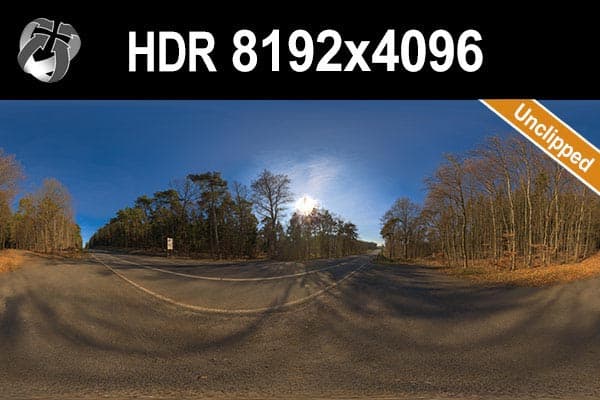
A clear sky with a visible sun gives hard, directional shadows and strong contrast between lit and shaded sides. Volumes read clearly, and balconies, fins and roof overhangs draw sharp lines on the facade. The risk is harshness at midday, and a cloudless sky gives empty blue reflections in glass. HDR 145 Rural Road Clear Sky is a typical example: unclipped sun, cloudless sky, delivered as OpenEXR.
For correct shadow edges the sun in the file must be unclipped, meaning its full brightness was captured instead of being cut off at white. A clipped sun gives soft, weak shadows no matter how good the rest of the sky is. The unclipped HDRI guide explains the difference.
Partly cloudy
Clouds with a free sun are the most natural daylight for architecture. The sun still casts a clear shadow, while the clouds add structure to the visible sky and break up reflections in large glass areas. HDR 144 Rural Road Cloudy Sky and HDR 164 Cloudy Sky both have an unclipped sun between clouds.
Cloudy and overcast
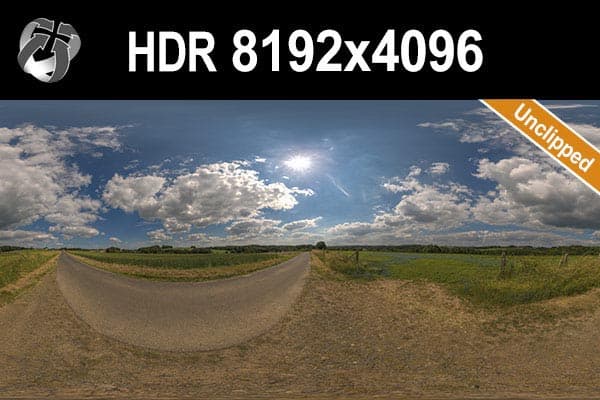
When clouds cover the sun, light comes from the whole sky. Shadows turn soft or disappear, contrast drops and materials show their own colour instead of the colour of the sunlight. That makes overcast skies the right tool for design reviews, material boards, facade studies and product catalogues. HDR 147 Rural Road Cloudy Sky has the sun behind clouds with some blue gaps. HDR 097 Forest is fully overcast, shot in winter.
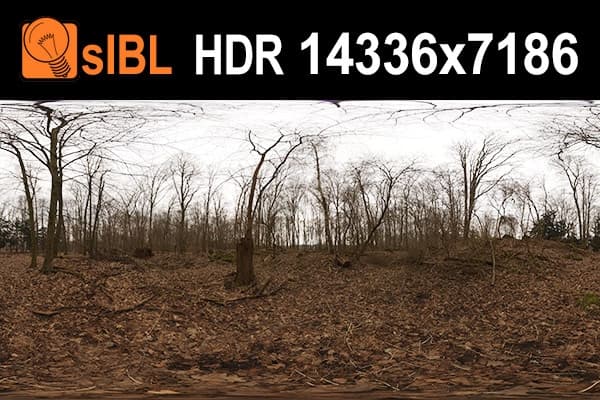
Overcast renders can look flat. Add contrast with the camera curve or in post rather than by adding a sun, because a sun under a closed cloud cover contradicts the sky.
Weather and season
Season shows in reflections and in the visible horizon. A winter HDRI with bare trees next to a model with full summer foliage looks wrong immediately. HDR 097 above is a good overcast sky, but only for a winter or late autumn scene. Snow also bounces a lot of light upward, which brightens the underside of overhangs. The winter collection groups snow and cold-season skies, such as HDR 092 Road Winter with a low clear-sky sun.
Question 3: Which time of day tells your story?
The height of the sun in the HDRI fixes the length and direction of every shadow. You can rotate an HDRI to move the sun around the building, but you cannot raise or lower it. Pick the file with the right sun height.
Shadow length follows directly from sun height: an object casts a shadow as long as its own height when the sun stands at 45 degrees. At 30 degrees the shadow is about 1.7 times the height, at 10 degrees about 5.7 times.
- Midday. High sun, short shadows under eaves and balconies, neutral to cool light. Good for technical images and shadow studies, rarely good for an emotional image.
- Morning and afternoon. A medium sun height gives long modelling shadows that describe the form, with slightly warmer light. This is the most used time of day for exterior architecture.
- Golden hour and sunset. The sun stands only around 10 degrees above the horizon about an hour before sunset at mid latitudes. Light is red and soft, shadows are very long and less dark. The difficult part is exposure: a bright sky behind a building that is lit from the side or from behind. HDR 163 Dusk Cloudy Sky and HDR 167 Sunny Dusk Clouds both have a low, unclipped sun.
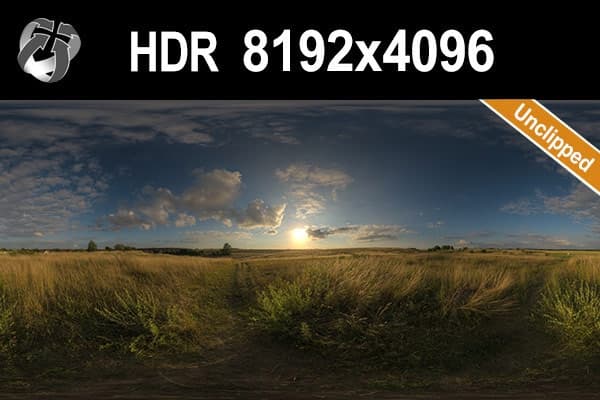
- Blue hour. After sunset the sky turns deep blue while the sun is a few degrees below the horizon. A cool sky against warm interior lights is a classic marketing still, but it only works when the model has interior lighting. HDR 158 Blue Evening Sky catches the last glow on the horizon; HDR 159 Blue Evening Sky is a little later, with the glow almost gone.
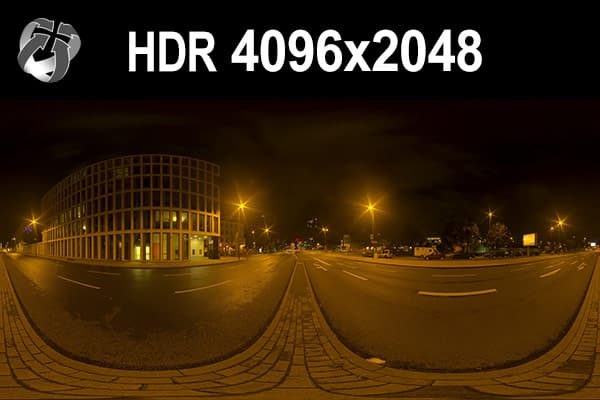
- Night. Street lights, lit windows and car lights take over from the sun. The HDRI then mostly provides reflections and a dim fill light, and your own scene lights do the main work. HDR 171 City Road Night and HDR 169 Entrance Garage Night keep their street and wall lights unclipped, so the light sources stay coloured in reflections. More in the night city collection.
Question 4: Interiors, which HDRI works through a window?
In an interior render the HDRI lights the room through its openings. The part of the sky the windows see matters more than the ground.
- Bright cloudy sky gives soft, even daylight without hot spots. It is the safe choice for kitchens, offices and showrooms where furniture and materials must read clearly.
- Sunny sky throws sharp sun patches through the windows onto floor and walls. Rotate the HDRI until the patches fall where they help the composition. A low morning or afternoon sun reaches deeper into the room.
- The view out. If the windows show the HDRI, its content becomes part of the image. An apartment on an upper floor sees mostly sky; a ground floor sees street, garden or the next building. When no HDRI fits, put a separate backplate behind the window, see how to match an HDRI and a backplate.
- Exposure. An interior needs much more camera exposure than an exterior, so the sky outside blows out. Most renderers let you reduce the brightness of the visible background separately from the lighting. The setup is different in every program, see HDRI lighting in Blender and HDRI in Enscape.
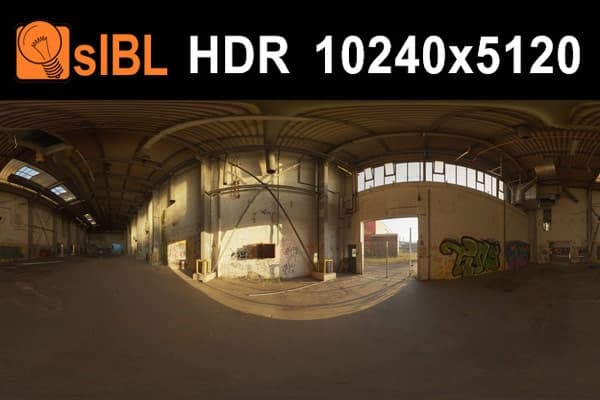
Indoor HDRIs are a different tool. They were shot inside halls, garages and tunnels and are used to light objects placed in that space or for reflections in close-ups, not as a light source behind a window. HDR 127 Industrial Hall has sunlight falling through large openings; HDR 078 Old Hall is a smaller room with one wide opening and a sun patch on the floor. The indoor collection has all 19.
Question 5: Products and vehicles, what will the reflections show?
For glossy objects the HDRI is part of the surface: a chrome kettle or a car door shows the environment in every curve.
- Products and packshots. Neutral environments give clean reflections. Green trees tint white and silver products, and busy city facades add noise to every edge. HDRI Hub sells outdoor and indoor locations, not studio HDRIs. For a studio look, use HDR light textures such as the rectangular softbox on area lights, with a cloudy sky at low strength as fill.
- Cars. Paint, glass and chrome reflect the location, so roads, parking lots and industrial yards give believable results. The long horizon line runs as a reflection along the side of the car. HDR 084 Parking Lot is a sunny parking lot with buildings around it; the road and parking lot collections have more.
- Ground contact. HDRI domes are ground-level panoramas where the ground is part of the image, so a car or product can sit on a real surface. loc00210 is a sunny residential street in New York.
- Photo integration. For a render inside a real photo, buy an HDRI with matching backplates from the same spot, such as HDR 086 Road with plates. All sets are in backplate sets and bundles.
Large, flat, mirror-like surfaces close to the camera show the HDRI almost as sharply as a direct view of the sky, so they need more resolution than the lighting alone.
Question 6: Technical checks before you buy
Is the sun clipped or unclipped?
Check the product tags. Of the 161 outdoor HDRIs, 34 are tagged unclipped and collected on the unclipped page. For a scene that relies on sun shadows or sun highlights, start there. For overcast and night scenes it matters less.
Does the camera height match?
An HDRI is shot from one height. A panorama taken at standing height shows the horizon at eye level and the ground close up; a model rendered from the fifth floor or a drone height needs a different view. Rotation does not fix a height mismatch. Look at the preview: if the ground and nearby objects fill a lot of the lower half, the camera was close to the ground.
Which resolution?
Short version: lighting only needs 4K to 8K. A visible sky in an offline render needs 16K for full HD output and 20K for 4K output. Real-time engines usually work best with 4K to 8K. HDRI Hub skies come in 4096 x 2048, 8192 x 4096, 10240 x 5120, 16K and 20000 x 10000 versions, and 25 skies are available at 20K in the 20K collection. The full explanation, with pixel counts and file sizes, is in the HDRI resolution guide.
Which format does your tool need?
Skies from HDR 142 onwards ship as OpenEXR (.exr); earlier skies and sIBL sets come as Radiance (.hdr). Both carry the full dynamic range. Some tools are picky:
- Enscape: 4.19 and later load .exr skyboxes directly; 4.18 LTS and earlier need .hdr, so convert the newer skies first. Details in HDRI in Enscape.
- Lumion: use the .hdr version.
- Unreal Engine: .hdr imports as a Texture Cube, .exr as a flat Texture2D.
- Unity: both formats import as a cubemap.
- Twinmotion: use a 2:1 equirectangular HDR file, see HDRI for Twinmotion.
Conversion keeps the dynamic range, see .hdr or .exr.
Does the licence cover the job?
Every HDRI Hub file, including the free ones, comes with a commercial licence for one user on one workstation.
Common mistakes when picking an HDRI
- Choosing by the thumbnail. The preview is a tonemapped JPEG. It cannot show how bright the sun is or whether it is clipped.
- Midday sun for everything. Short shadows hide volume. An afternoon sun almost always describes a building better.
- The wrong environment in the glass. Desert, forest or harbour reflections on a project that stands somewhere else.
- A sunny HDRI plus a sun light. Two suns give two shadows. Either use the HDRI sun or switch it off in the map and use the renderer's sun, not both.
- Paying for 20K when the sky is never visible. The lighting is identical at 4K.
- A low sun for a scene that needs short shadows. Rotation cannot raise the sun. Pick a different file.
Want to test before buying? The 11 free HDRIs come in sizes up to 8192 x 4096 under the same licence as the paid files.
Frequently asked questions
What is the best HDRI for exterior renders?
For most exterior architecture a partly cloudy or clear morning or afternoon sky with an unclipped sun works best. It gives long, defined shadows that show the form of the building and a sky with some structure in reflections. For design reviews and material studies, a cloudy or overcast sky is better because it shows materials without strong shadows.
What is the best HDRI for interior rendering?
A bright cloudy sky gives soft, even daylight through the windows and is the safest choice. A sunny sky works when you want sun patches on floor and walls; rotate it until they fall in the right place. Check what the windows see, because the HDRI content becomes the view outside.
Should I use a sunny or an overcast HDRI?
Use sunny when the image needs drama, depth and sharp shadows, for example in marketing images. Use overcast when materials and colours must read true, for example in design reviews, facade studies and product catalogues. Partly cloudy sits between the two and is the most forgiving choice.
Does HDRI resolution affect lighting quality?
No. A 4K and a 20K version of the same sky light a scene the same way. Resolution only matters when the sky is visible in the frame or in sharp reflections. Shadow sharpness depends on whether the sun is unclipped, not on the pixel count.
Can I use an outdoor HDRI for an interior?
Yes. An outdoor HDRI is the normal light source for an interior, it lights the room through the windows. Raise the camera exposure for the interior and reduce the brightness of the visible background separately, otherwise the view outside blows out.
What HDRI is best for product rendering?
A neutral environment without strong colours, so reflections stay clean on white, silver and glossy surfaces. HDRI Hub does not sell studio HDRIs; for a studio look, light the product with HDR light textures on area lights and use a cloudy sky at low strength as fill. For vehicles, a road or parking lot location gives believable reflections.
What does unclipped mean when buying an HDRI?
An unclipped HDRI keeps the full brightness of the sun instead of cutting it off at white. That gives sharp, correctly bright sun shadows and strong highlights. A clipped sun produces soft, weak shadows. 34 of the 161 outdoor HDRIs at HDRI Hub are tagged unclipped.
Can I change the time of day of an HDRI?
Only partly. You can rotate it to move the sun around the building, and change its brightness and colour. You cannot raise or lower the sun, so shadow length and the colour of low evening light are fixed in the file. Choose an HDRI captured at the time of day your image needs.